Who took the shot?
Team recognition and jersey reading link candidate baskets to players. You can fill in unread numbers.
SPOT Vision AI · basketball highlights & analysis
SPOT Vision AI analyses your basketball game video: it finds every scoring play, reads the shooter’s jersey number and cuts each one into a clip. Review the results, fix anything we got wrong and download your highlight reel.
Player filters · Editable results · MP4 highlights
How it works
01 · DETECT
Ball and rim detections identify candidate scoring moments; player tracking examines the relevant windows.

Behind the scenes: video to clip
Normalize
Video preprocessing
Detect
Object detection
Track
Continuous tracking
Identify
Team + jersey number
Court Map
Court mapping
Shots
Shot detection
Stats
Stats engine
Clips
Highlight compilation
Features
Illustrative product previews.
Team recognition and jersey reading link candidate baskets to players. You can fill in unread numbers.
Review candidate baskets alongside their clips, with 1, 2 or 3-point classification when court evidence supports it.
 ● 3PT● 2PT
 ▶ REEL
Every basket is cut at ±5 seconds automatically; a personal reel is compiled from one player’s moments.
Select, trim or extend clips; compile them into a downloadable MP4 with transitions and player info cards.
4
Makes
9
Points
4
Clips
For every make you see what the decision rested on: the action box or the ball arc, whether the team check agreed, how confident the number reading was.
Correct player numbers and scoring types, or hide an incorrect event. You stay in control.
Capabilities
Not a wall of technical features. The real product flow that turns game footage into player-focused highlights.
Find
Map
Verify
Share
01 · Find
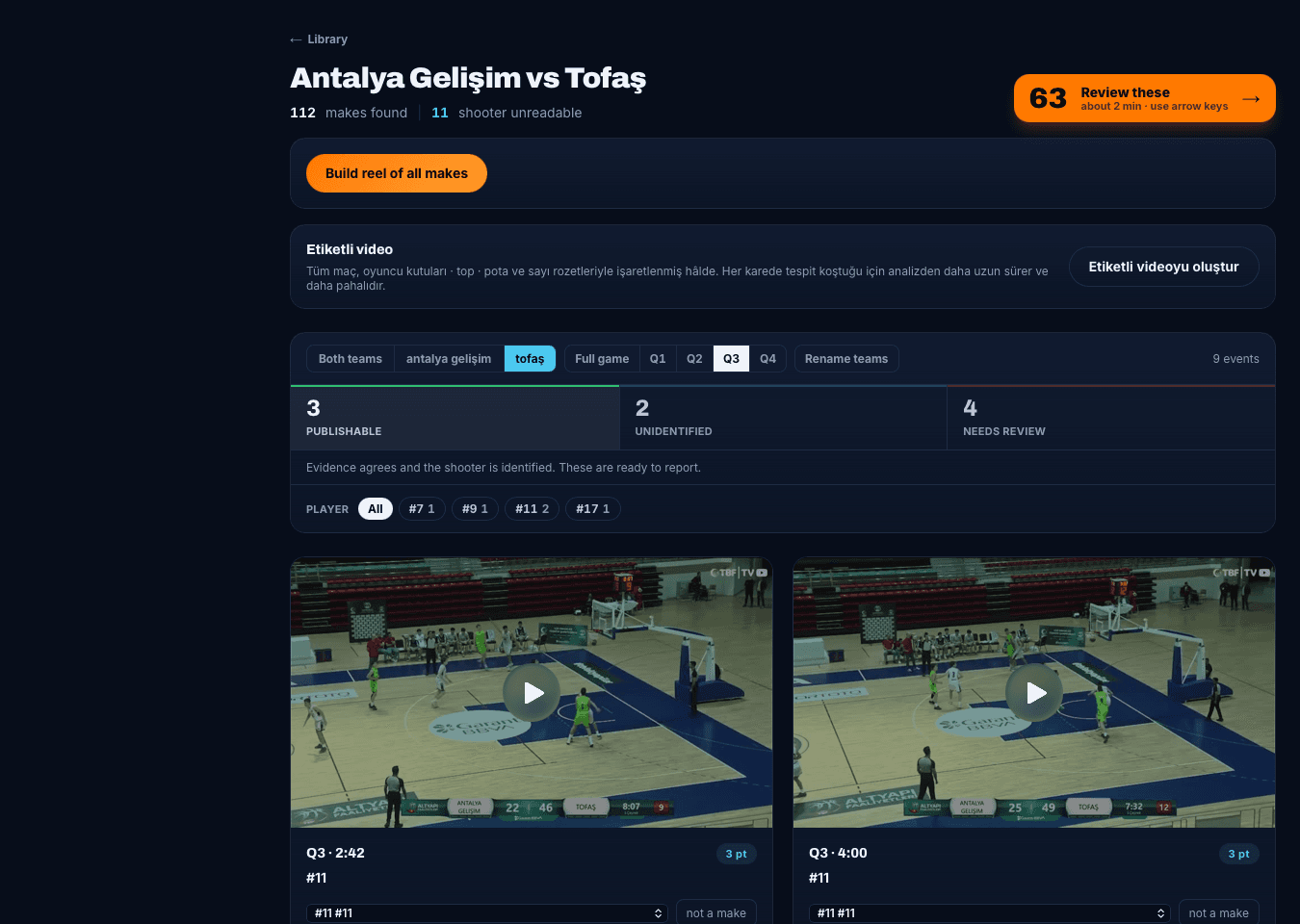
Ball and rim motion surfaces candidate baskets; player tracking focuses on the relevant event window.
Instead of scrubbing through the entire game, you start with the clips that need review.
 Real product screen
02 · Map
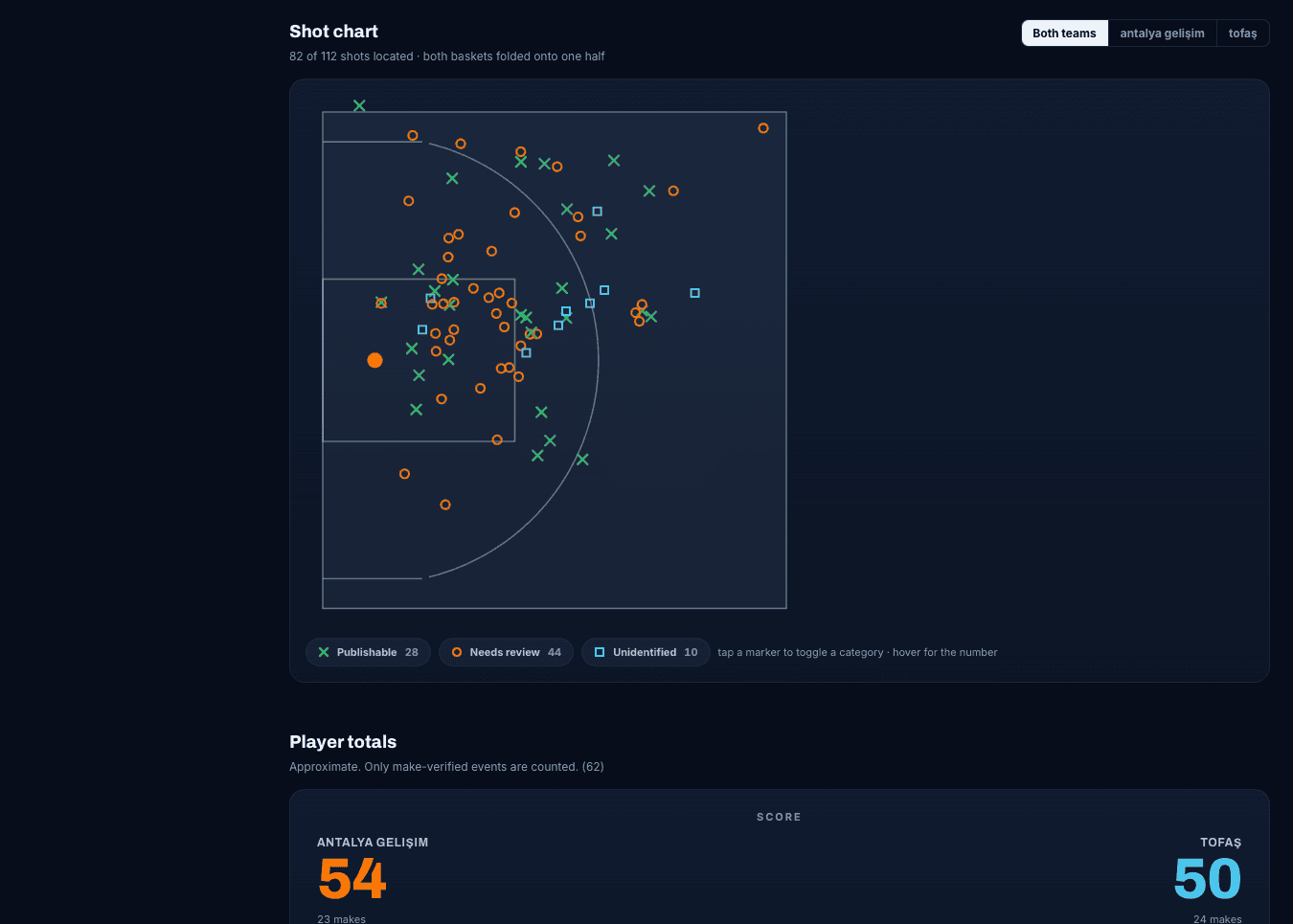
The court model detects lines and landmarks. With enough confidence, the frame is mapped to FIBA court geometry.
When position is unreliable, SPOT does not invent a shot type; the event can remain unknown for review.
 Real product screen
03 · Verify
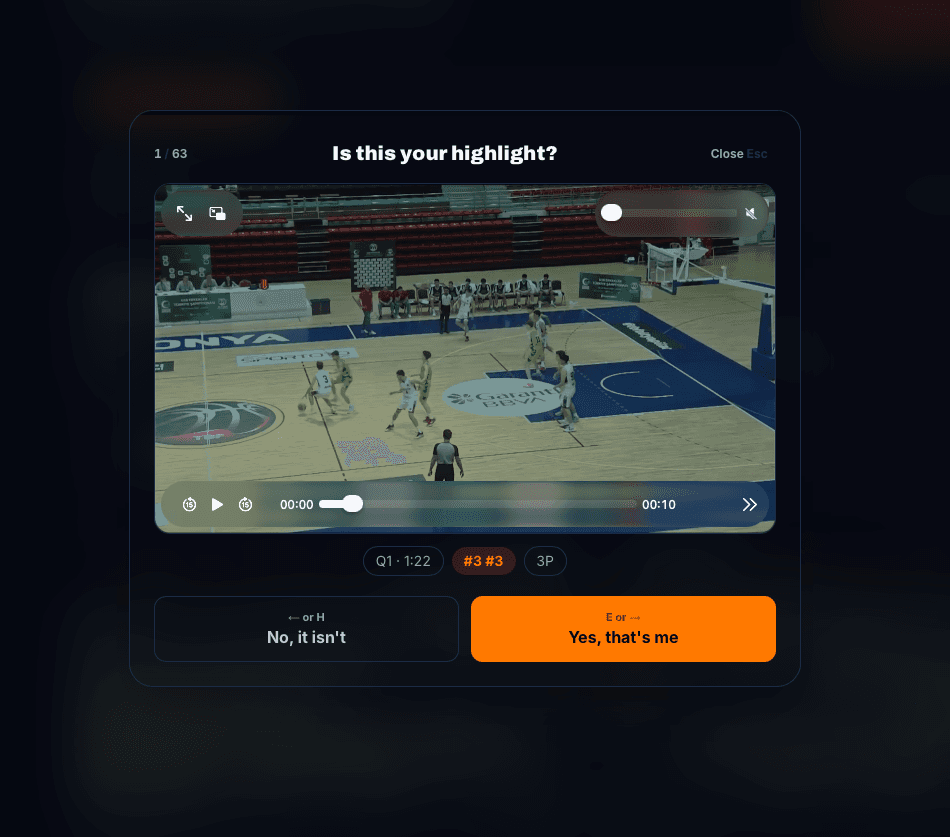
Team appearance and jersey reading suggest a player. Watch the clip, accept the match or correct it.
Uncertainty stays visible: unread jerseys and conflicting events remain in a separate review queue.
 Real product screen
04 · Share
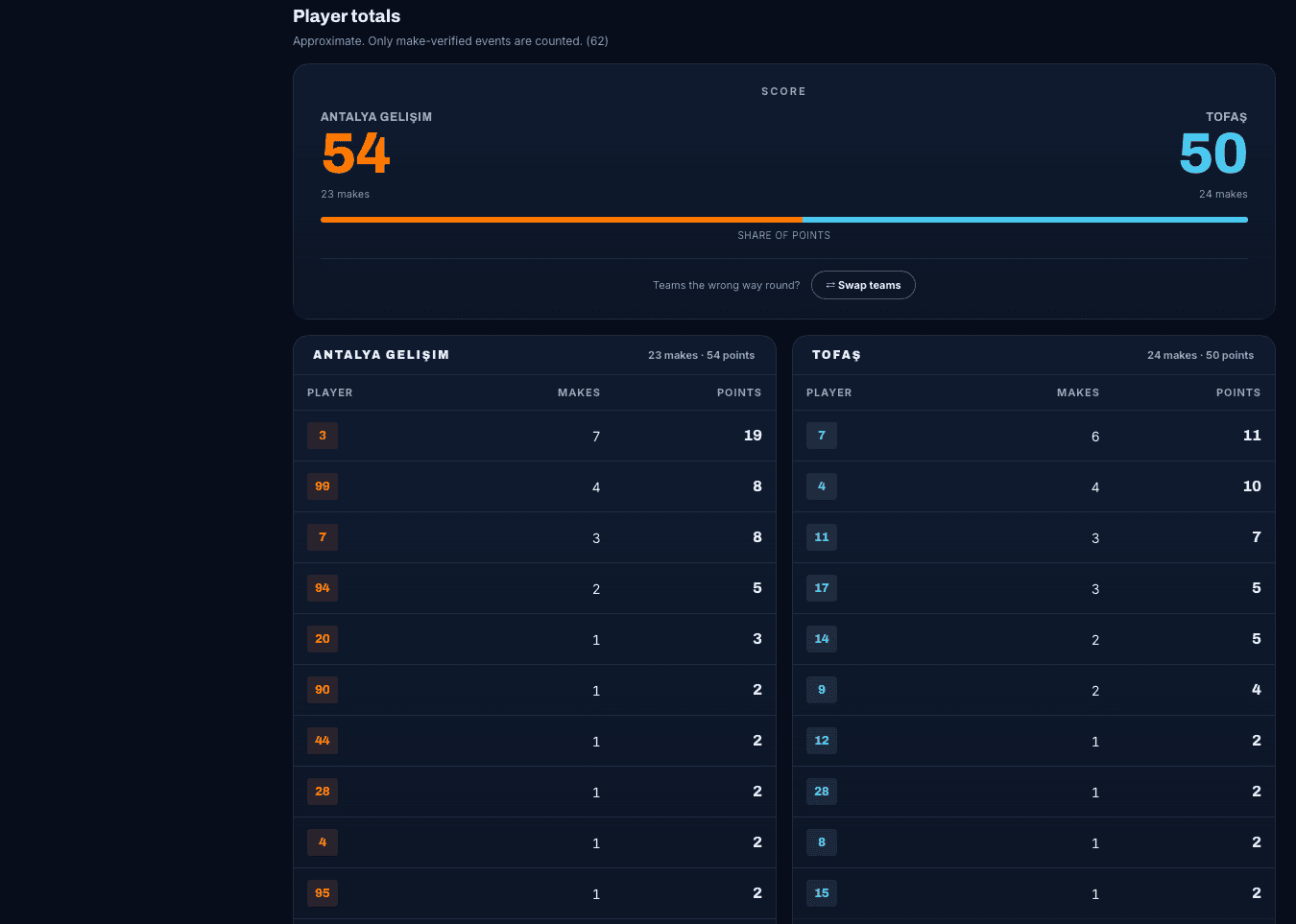
Verified baskets are grouped by player. Select the clips you want, adjust them and assemble a single reel.
A focused game view that links totals back to video—without imaginary season percentages.
 Real product screenReal product screen
Images are taken from the current SPOT product. Numbers belong to sample analyses.
By the numbers
Review the moments found in your footage and build your selection without repeatedly searching the full game.
Scoring types
From court and event evidence
Player filters
By jersey number
Highlight export
A reel from selected clips
Event clips
See the lead-up and the finish
Behind the scenes: video to clip
SPOT vs Manual Analysis
Automate searching and clip collection. Make the final call by reviewing the footage.
Manual Analysis
Search through the video
SPOT
Timestamped scoring candidates
Manual Analysis
Sort moments by hand
SPOT
Filter by jersey number
Manual Analysis
Cut each moment manually
SPOT
Automatic event clips
Manual Analysis
Assemble clips in an editor
SPOT
MP4 reel from selected clips
Manual Analysis
Review the footage
SPOT
Review, correct or hide
Automation + your judgement — SPOT gathers the moments; you review the results and choose what to share.
Dashboard
Watch scoring candidates, focus on a player and choose your highlight moments. Try the game-review workflow in the demo below.
This showcase uses sample events and is not connected to your account or games.
Review first. Then select.
In a real analysis, player numbers and scoring types can be corrected. Try the sample clip selection here.
Who it’s for
Find your moments, watch them back and create a highlight to share.
Review game moments, check player assignments and choose your clips.
Find the moments you care about in a long recording using a jersey number.
FAQ
Straight answers about how the product works today.
It finds candidate baskets, attempts to identify the shooter and scoring type, and prepares event clips. Review and correct the results, then build a reel from selected clips.
From your video to clips. From clips to your highlight.
Explore SPOT